Contractor Management
The problem
For SafetyCulture’s enterprise customers, managing contractors is critical. Without a dedicated contractor management solution, they were forced into manual, fragmented processes to ensure compliance. Think pen-and-paper, spreadsheets, endless email threads and phone calls.
This created friction and, more importantly, risk.
We have a metric here called PFIs, which are "Potentially Fatal Incidents”. Last year at this site we had 3, which is 3 too many. After doing a root cause analysis of all incidents, the main culprit was the lack of a contractor and compliance management process.

Customer
Mining Industry
The goal
Launch SafetyCulture’s first Contractor Management solution to capture the enterprise market and close the gap with EHS compliance requirements.
My role
Led end-to-end design for SafetyCulture’s first Contractor Management solution. Conducted user research, synthesis and designed and tested the MVP launch to validate the product’s market fit.
The business problem
SafetyCulture was seen as an incomplete solution.
Due to our lack of contractor management capabilities, we’re unable to offer a crucial part of workplace safety in reducing risk.
We lost enterprise customers
Not having a contractor management solution has caused us to lose out on numerous enterprise sales deals.
We weren’t competitive
Customers have turned to our competitors as they provide a contractor management solution.
The opportunity
2.2M users
Projected number of additional users we could activate within our existing customer base through a contractor management solution.
How might we design a contractor management solution that reduces compliance risk, scales to enterprise needs, and keeps SafetyCulture competitive?
The process

Research
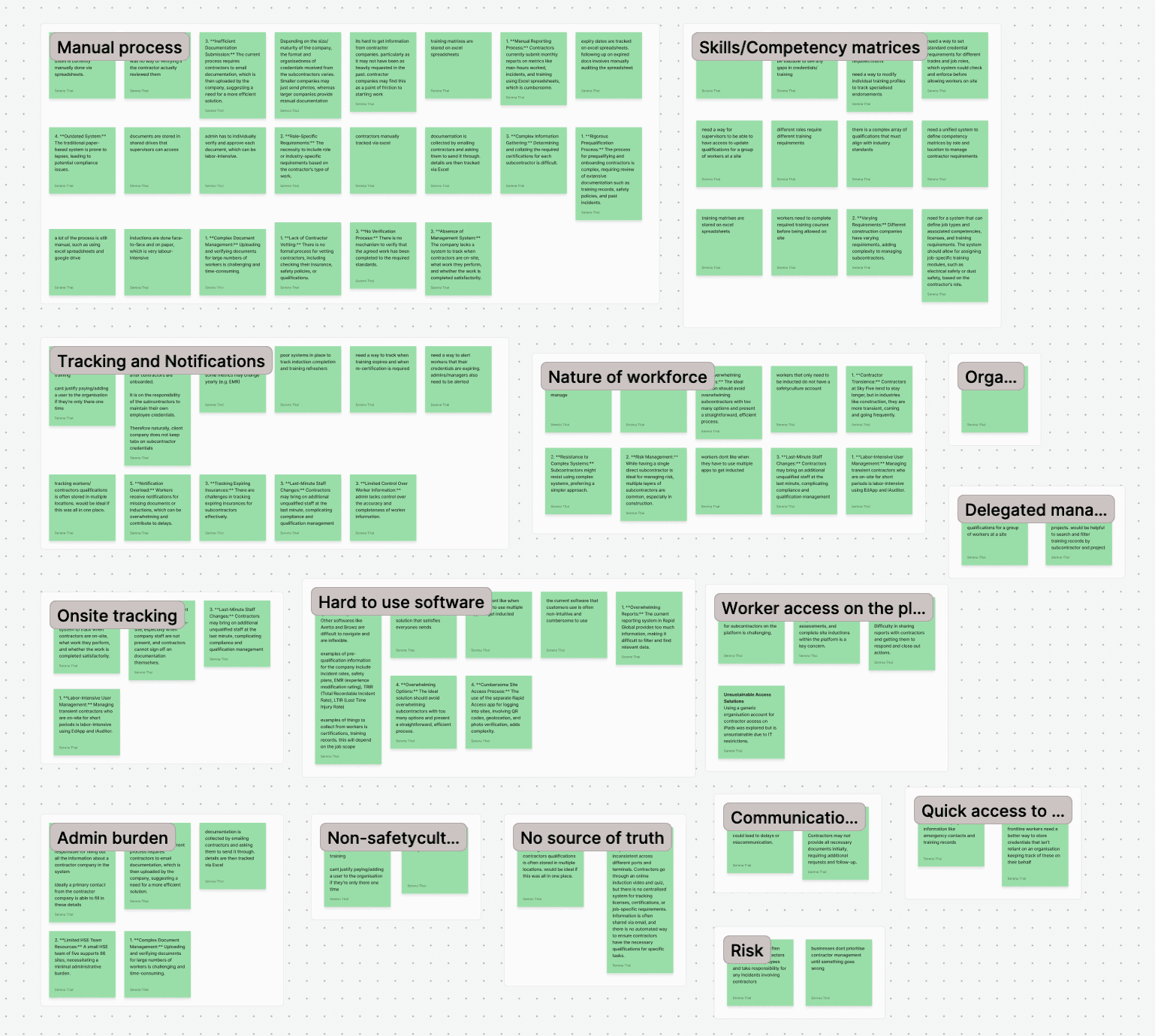
Affinity map
Snapshot of customers interviewed
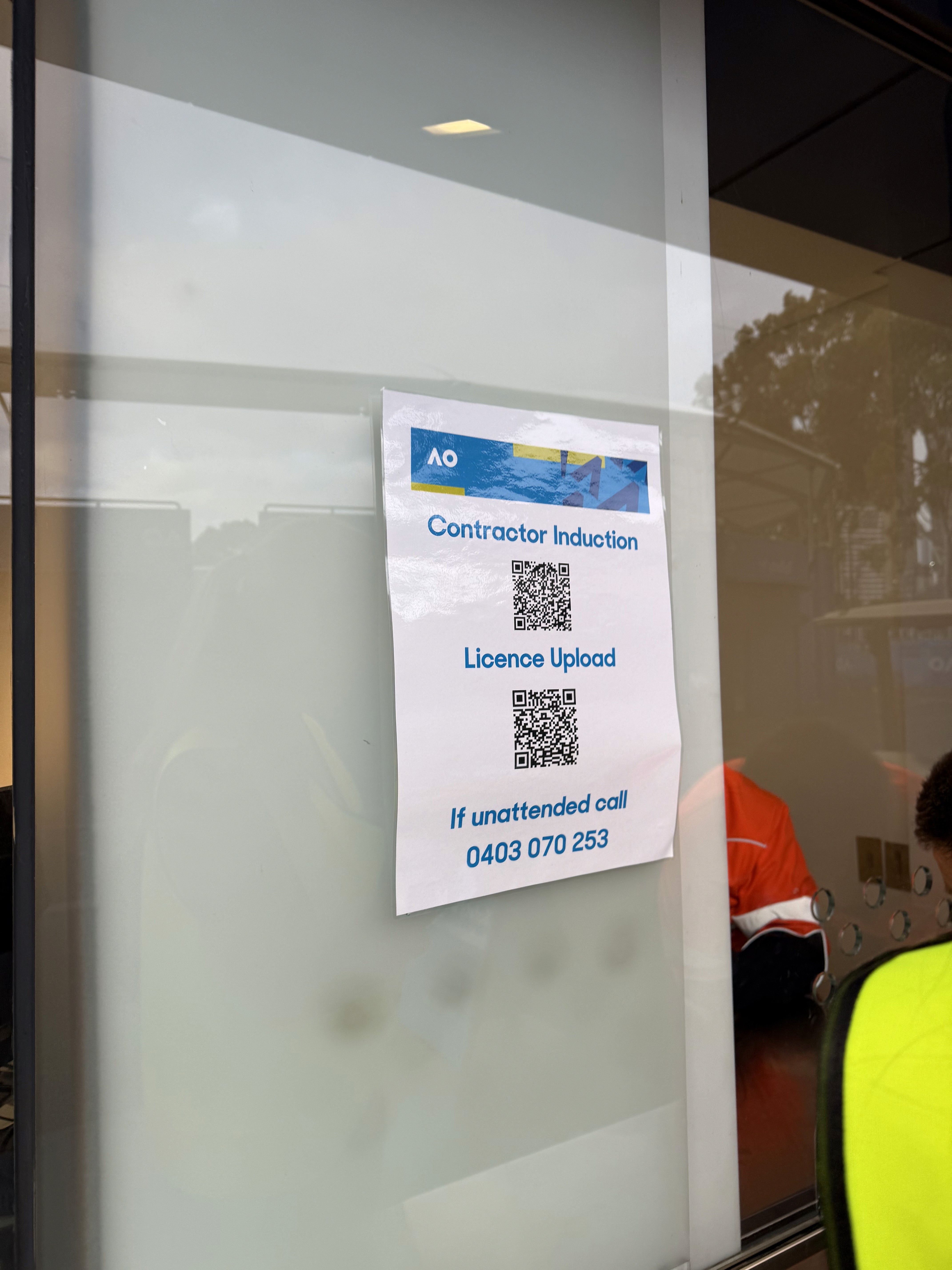
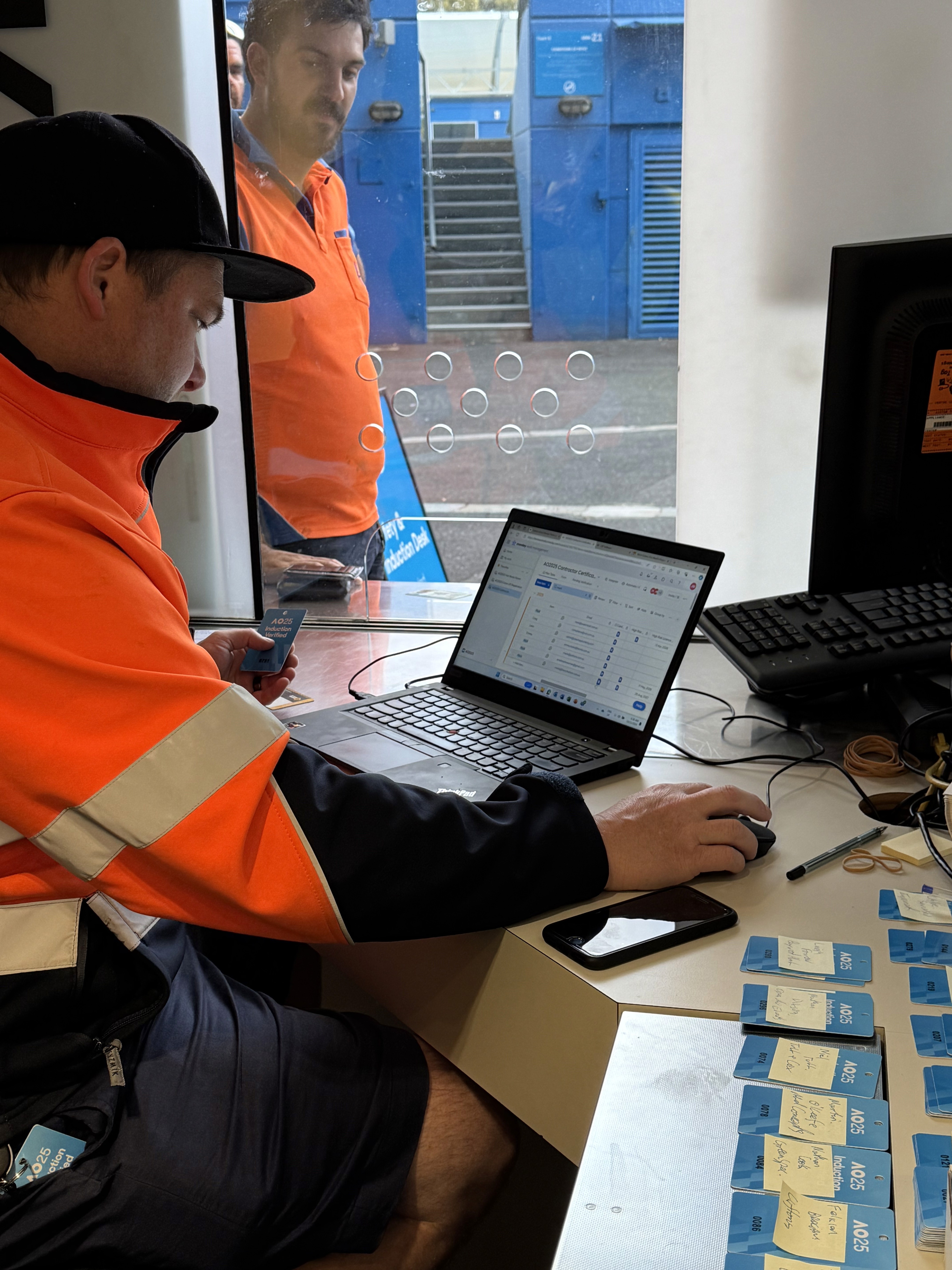
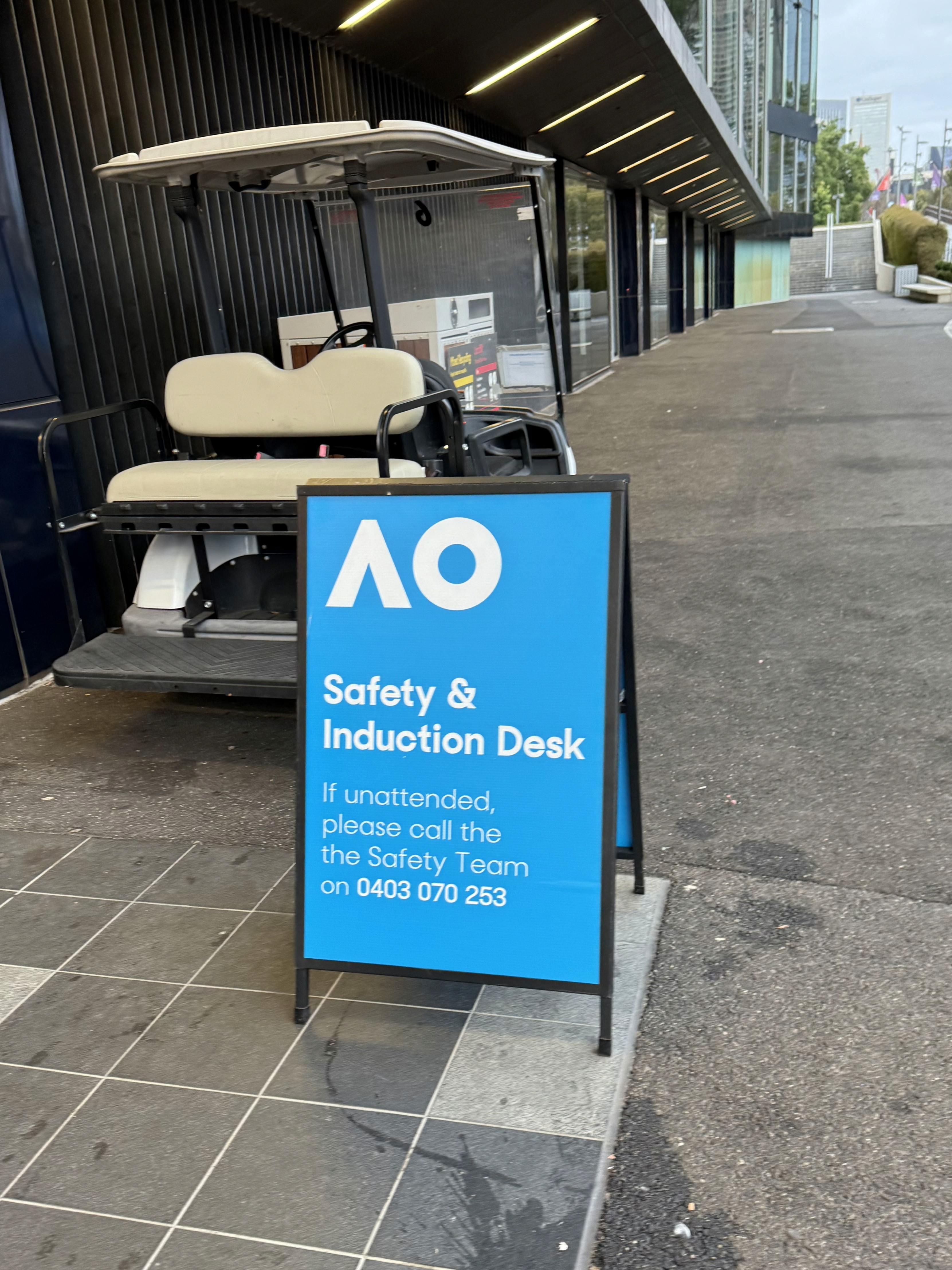


Customer site visits
Findings
There are many steps to Contractor Management
Contractor management encompasses many things, and we highly simplified it to these high level steps:

Our users are administrators and front-line workers
The customers we interviewed were predominantly people in office roles, such as health and safety managers, VPs of health and safety. It was harder to get in touch with front-line workers. It is the se office workers that we learnt that their main priorities were for contractor management.
The top priority is ensuring compliance
Our users, such as health and safety managers, VPs of health and safety, have a top priority of ensuring that the external companies and workers they're about to engage with have been vetted and approved before they are able to do the project / job.
Our main users, such as health and safety managers and senior safety leaders, consistently expressed that their highest priority is mitigating risk by ensuring that the contractors companies and workers they engage have been fully vetted and approved before any work begins.
Pain points
Highly manual process
Our customers often resort to manual pen-and-paper and spreadsheet processes to do the job
Understanding requirements is a complex process
Working with different types of companies in varying lines of work means there are always different requirements that need to be satisfied
Competitor software is hard to use
Customers have had to resort to competitors, but these competitors can be expensive, hard to use, and deters them from using it
Transient nature of workforce
The nature of using contractors is that they come and go. This makes tracking a lot harder and more work
The prioritisation
By combining our understanding of the contractor management lifecycle with the most pressing pain points voiced by customers, we chose to begin with Worker Onboarding, followed by Company Pre-Qualification. The rationale being as follows:
Addresses the top customer pain point
Ensuring that the workers and companies they engage with are qualified and compliant is not just a priority for our customers—it’s a non-negotiable requirement. Yet today, many are forced to rely on spreadsheets, emails, and even pen-and-paper just to meet this critical obligation. These manual processes are slow, error-prone, and expose businesses to significant compliance risk. By prioritising Worker Onboarding and Company Pre-Qualification, we deliver a faster, digital alternative that reduces risk, alleviates administrative burden, and addresses one of the most urgent gaps in the contractor management workflow.
Maximise reach and learning
We chose to begin with Worker Onboarding because of its broad applicability. Onboarding is essential not only for external contractors but also for internal employees. This wider relevance meant greater customer impact, while also increasing the likelihood of early adoption and feedback—allowing us to validate assumptions and capture learnings more quickly.
How might we solve for worker onboarding and company pre-qualification?
User testing and validation
Before jumping into designs, I analysed how other competitor contractor management platforms addressed similar workflows.
On these insights, I created a series of low-fidelity mockups and interactive prototypes which I tested with customers through interviews, usability sessions, and surveys. These helped validate assumptions, highlight friction points early in the process, and inform design decisions that would go into the MVP.
Design decisions
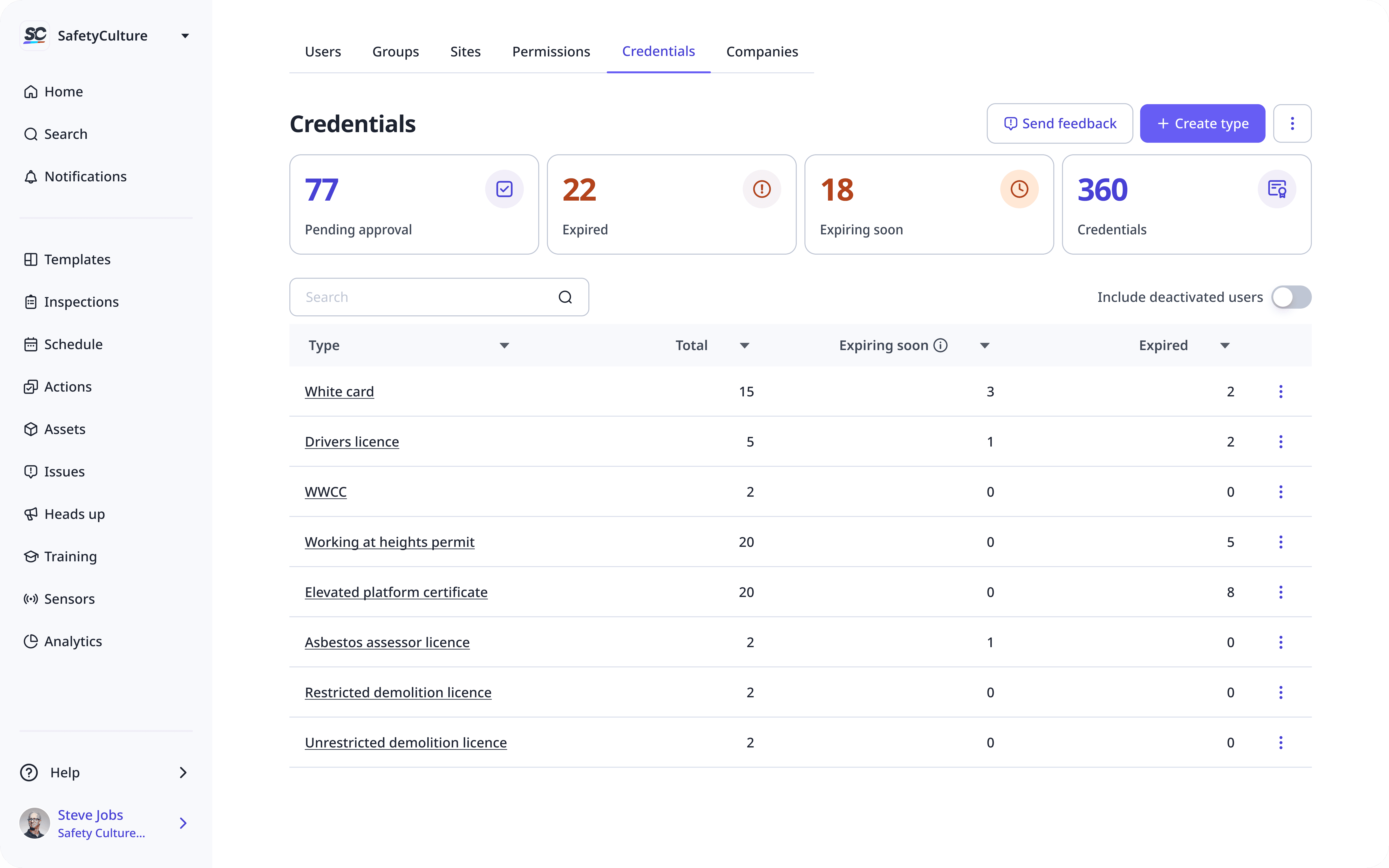
Displaying credentials
We learnt that customers need a quick overview of compliance. We had to decide how to display credentials: by type first or by individual credentials? For the initial release we went with credential type first as it was quicker to implement, and we were also able to show columns with expired and expiring soon values. Later on we were able to introduce overview cards to provide a quicker glance of compliance statuses
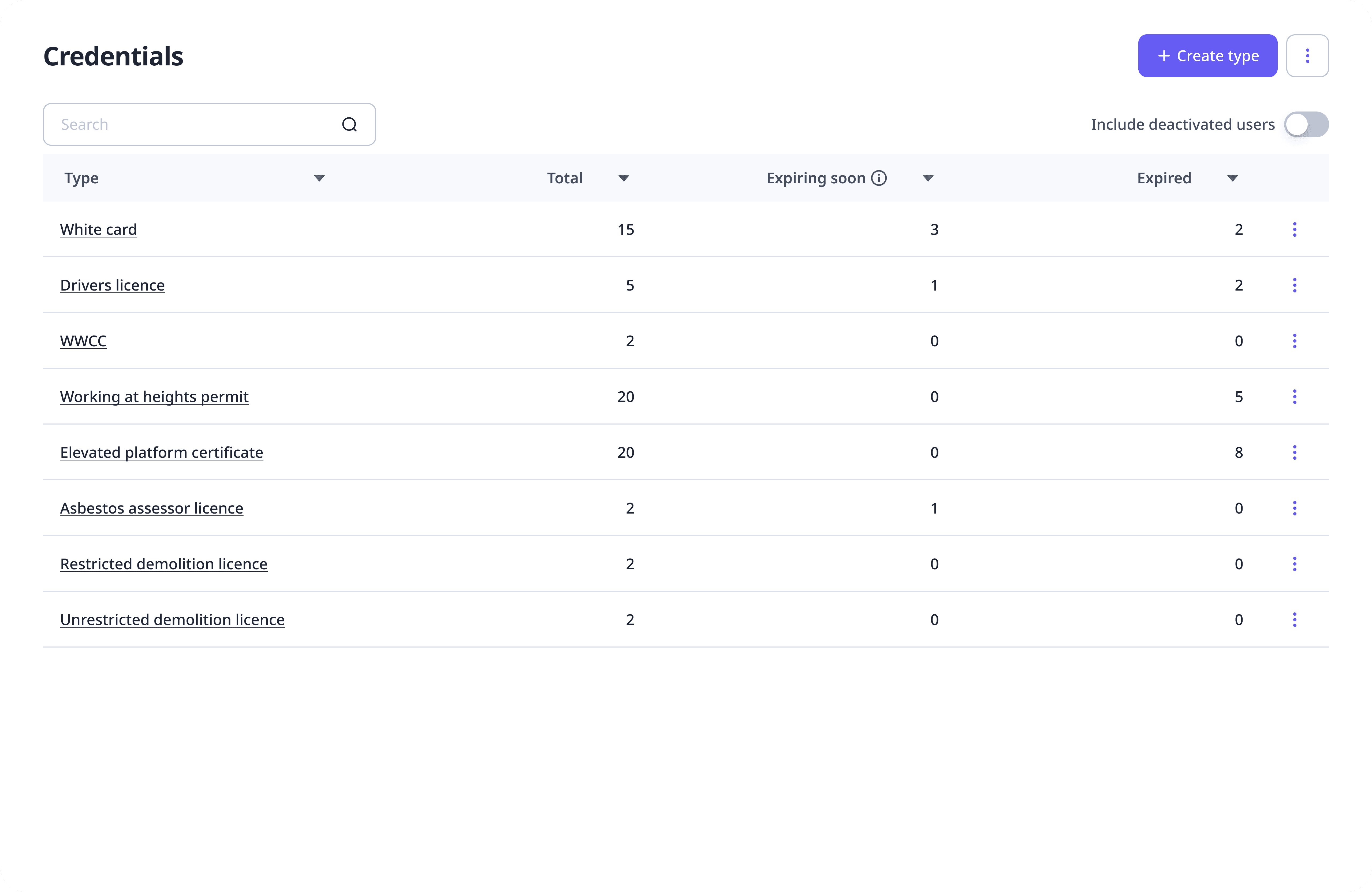
Type view
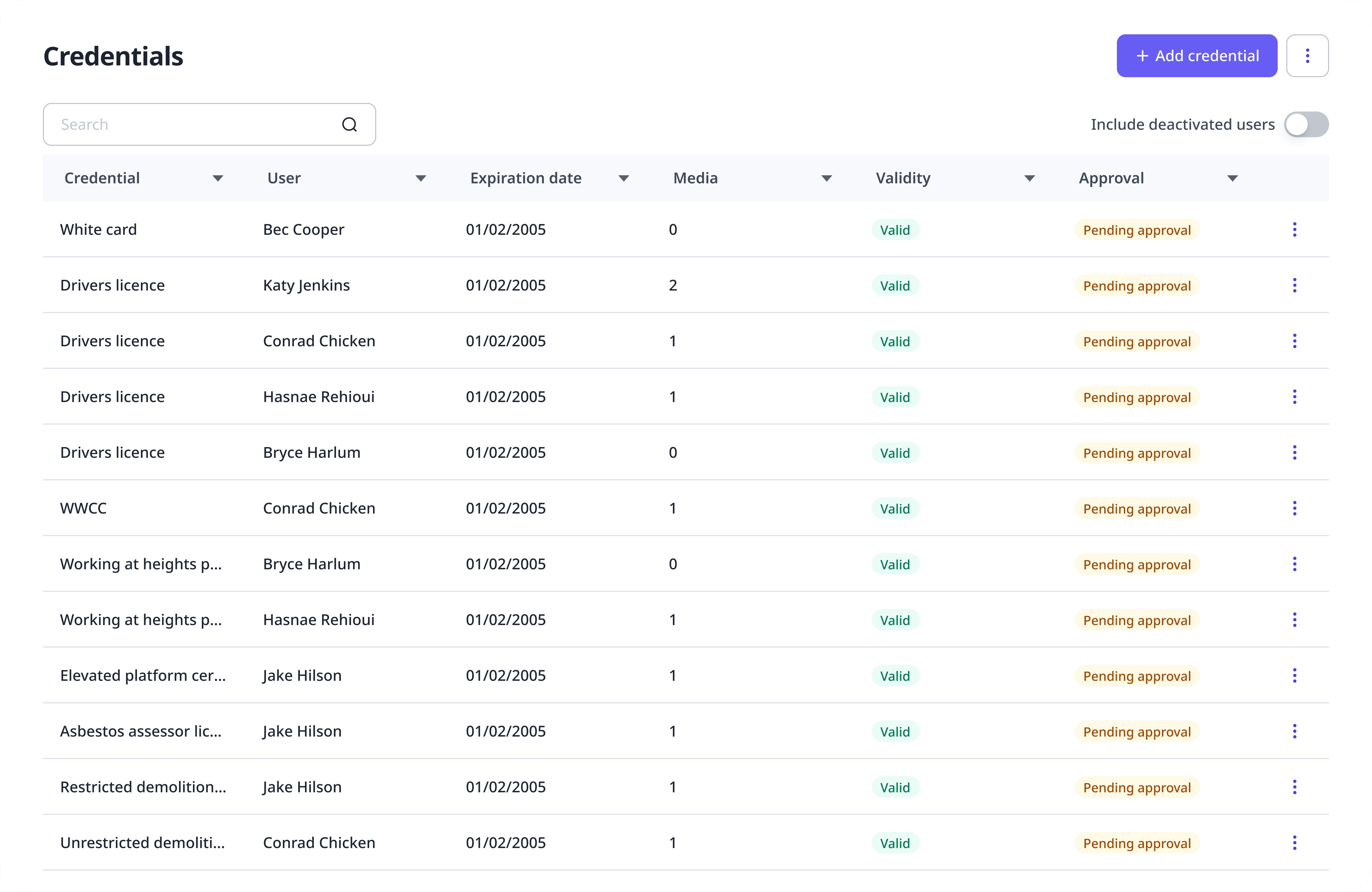
Individual view
Credential versioning
There were two approaches we could use for how to handle updating worker credentials:
Storing each upload as a separate, standalone record
Linking versions to a single credential entity with version history for an audit trail
We decided on the linked versioning approach to support a clear way for users to understand compliance over a period of time. This requirement is critical for incident investigations, where customers need to quickly validate whether a worker met all compliance requirements at a specific point in time.
Company list/register
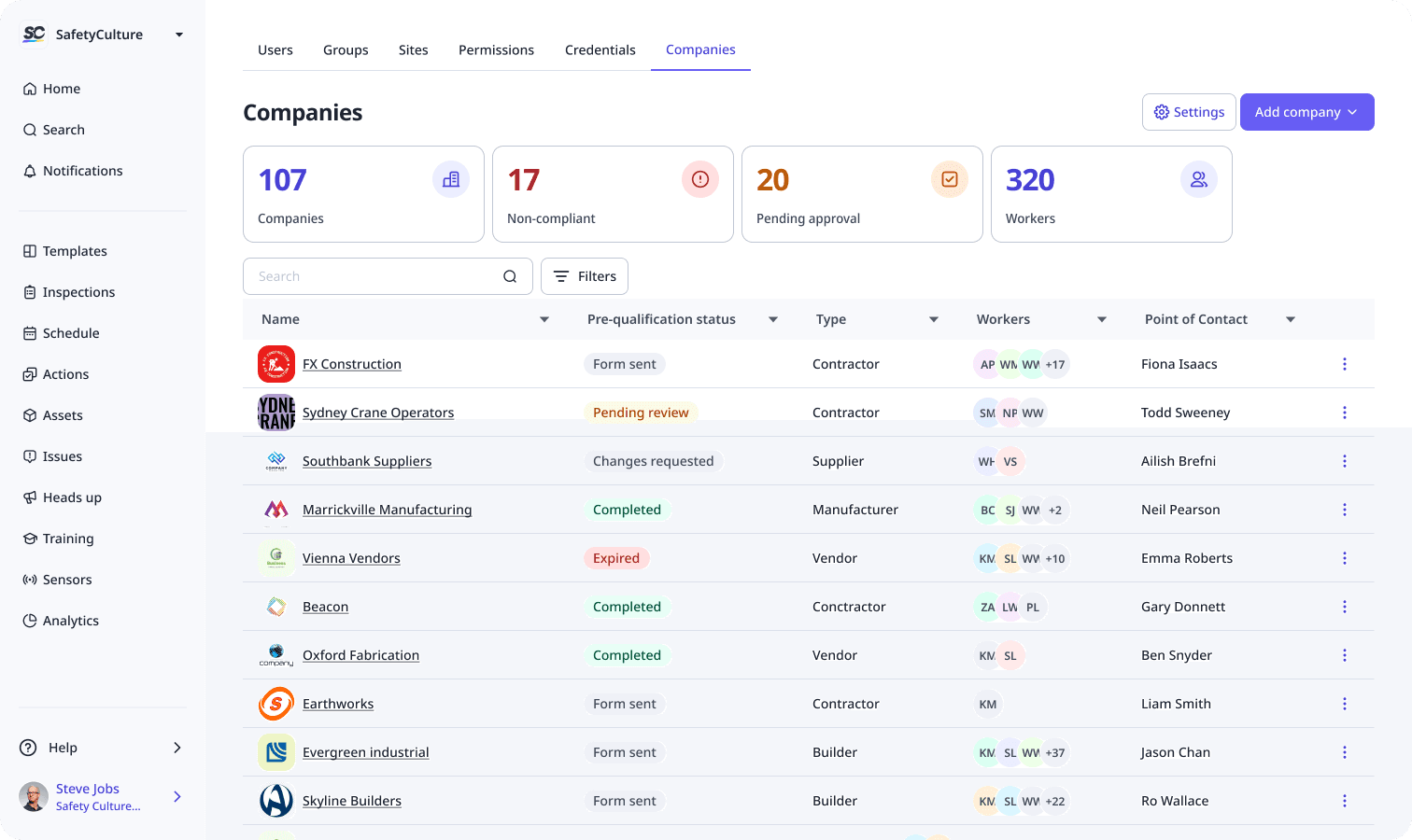
We identified which information is most valuable to display at a glance for the company list/register. Customers consistently emphasised the importance of quickly understanding the type of company or contractor, as this directly determines the level of compliance and documentation required from them.
Other high-priority fields include:
Pre-qualification status – to immediately assess whether the company is ready to be engaged with
Primary contact or responsible administrator – quickly provide a clear escalation path for follow-ups
Company status - whether the company is still in use / active or not
Document status – to highlight outstanding or missing submissions
Conversely, information such as individual workers or labourers associated with the company was considered less critical at the overview level. Instead, this information is more appropriately surfaced within the company profile, where customers can look into for further details.
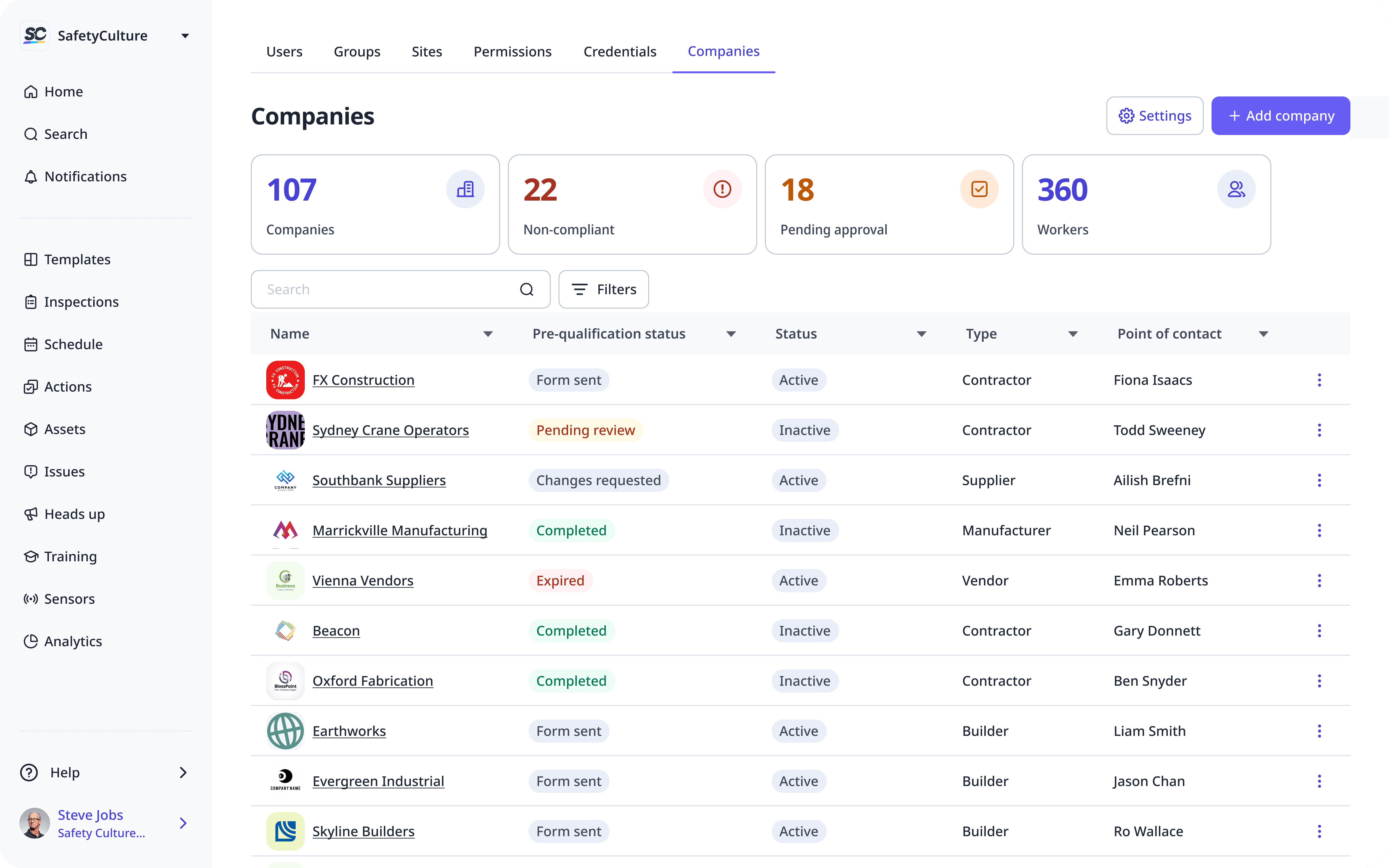
Company register
Company profile
For the company profile view, we focused on surfacing information and structure that supports detailed compliance verification. This includes a high-level company overview, company documents which prove compliance, and a list of workers linked to the company, along with their individual competency and credential status.
We discovered two levels of compliance that customers care about. Company-level compliance, which is validated through documents such as insurance and safety policies; and individual worker compliance, which is determined by credentials and training completions.
Because of this, we surfaced these as distinct categories in the company profile.
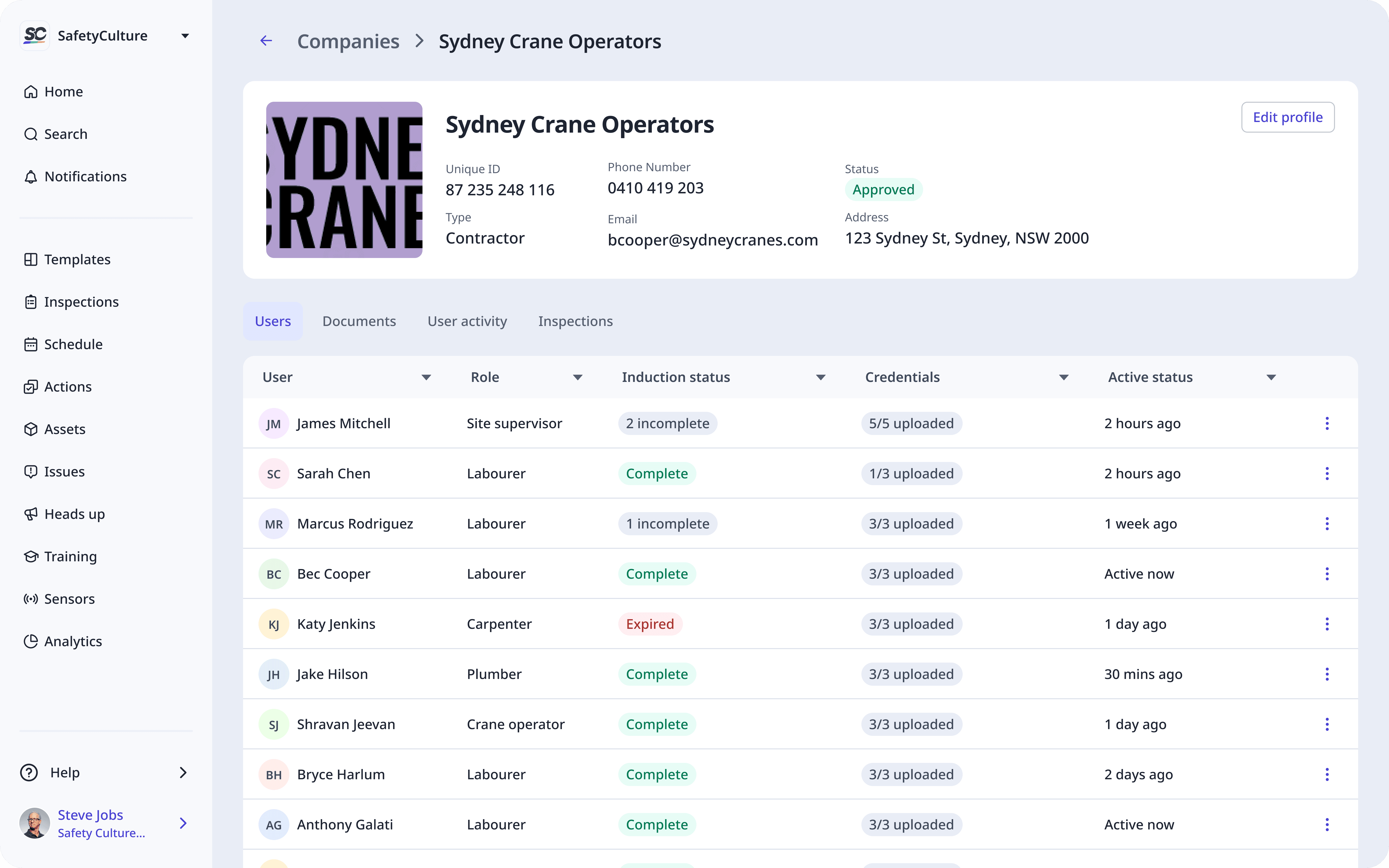
Users view
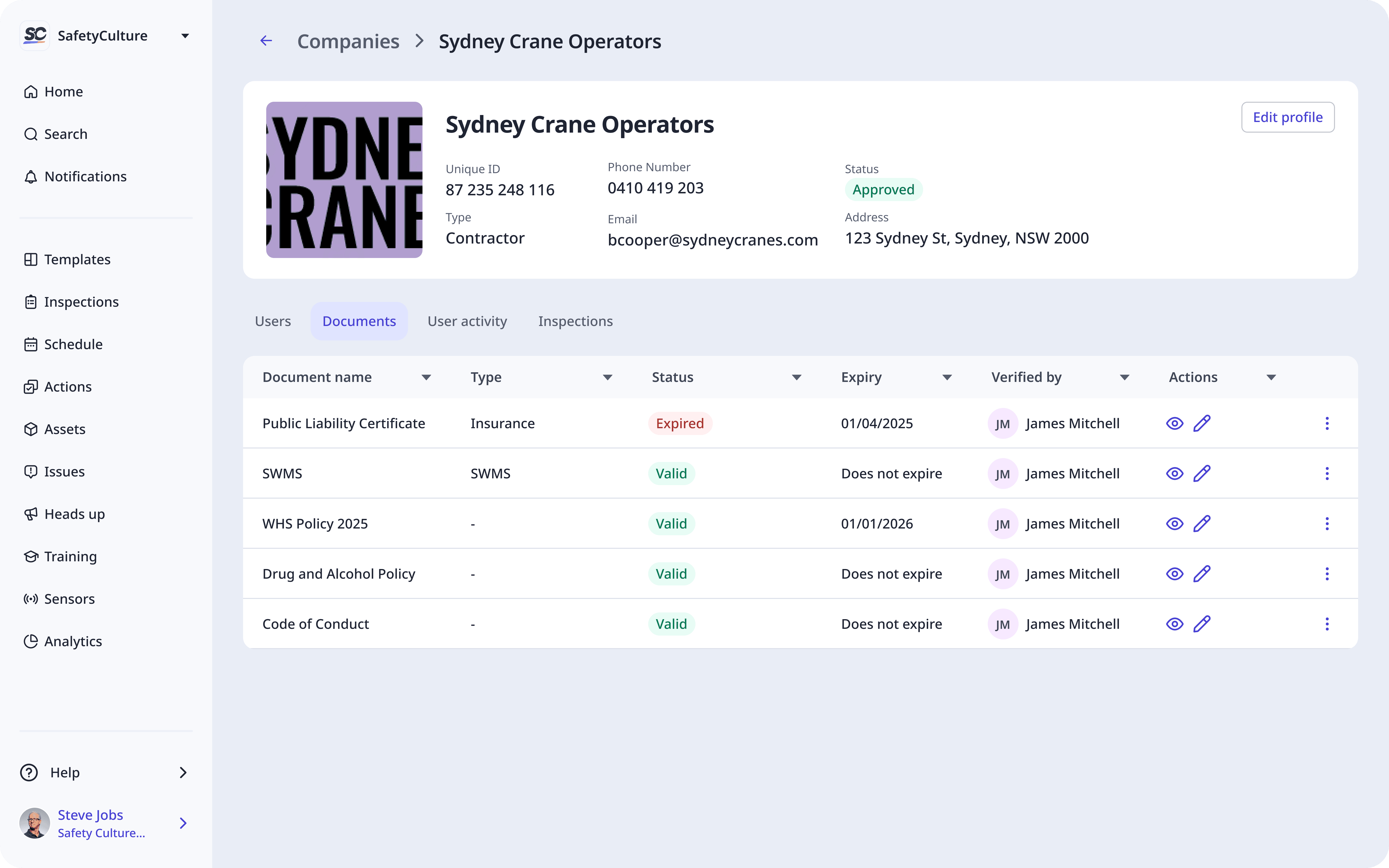
Company documents view
Insights from launches
It's still too manual, and this limited adoption
When we launched Credentials as part of the worker onboarding flow, uptake was significantly lower than expected. After observing early usage patterns, we discovered that in most organisations, a single administrator is responsible for uploading credentials for the entire workforce.
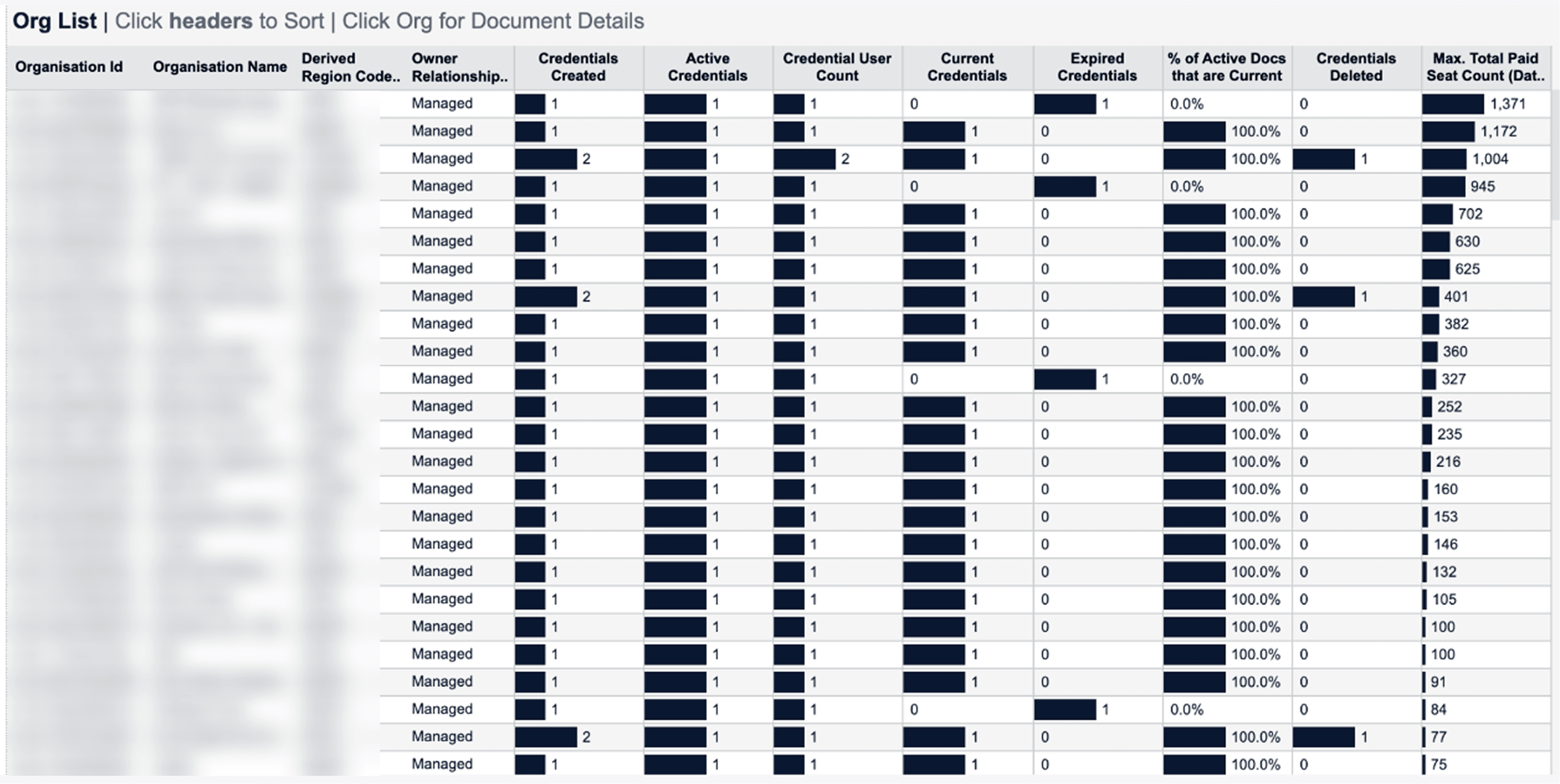
Number of credentials created, sorted from orgs with highest seat count
Because the product only supported one-by-one uploads, this quickly became unmanageable. Many users began the process, realised the scale of effort required, and abandoned it. This revealed that without bulk actions or delegated responsibility, even high-value features won’t gain traction.
Compliance Needs to Be Proactive, Not Reactive
Customers made it clear they don’t want to log into a dashboard regularly just to monitor compliance. Instead, they expect the system to surface risks before they become issues.
The most requested enhancement after launch was notifications for expiring and expired credentials, sent to both the worker and their manager. This reflects a shift from reactive maintenance to proactive compliance management.
However, due to gaps in SafetyCulture’s underlying roles and organisational structure, we were limited in our ability to quickly determine who should receive these notifications at scale.
Responsibility Needs to Be Distributed, Not Centralised
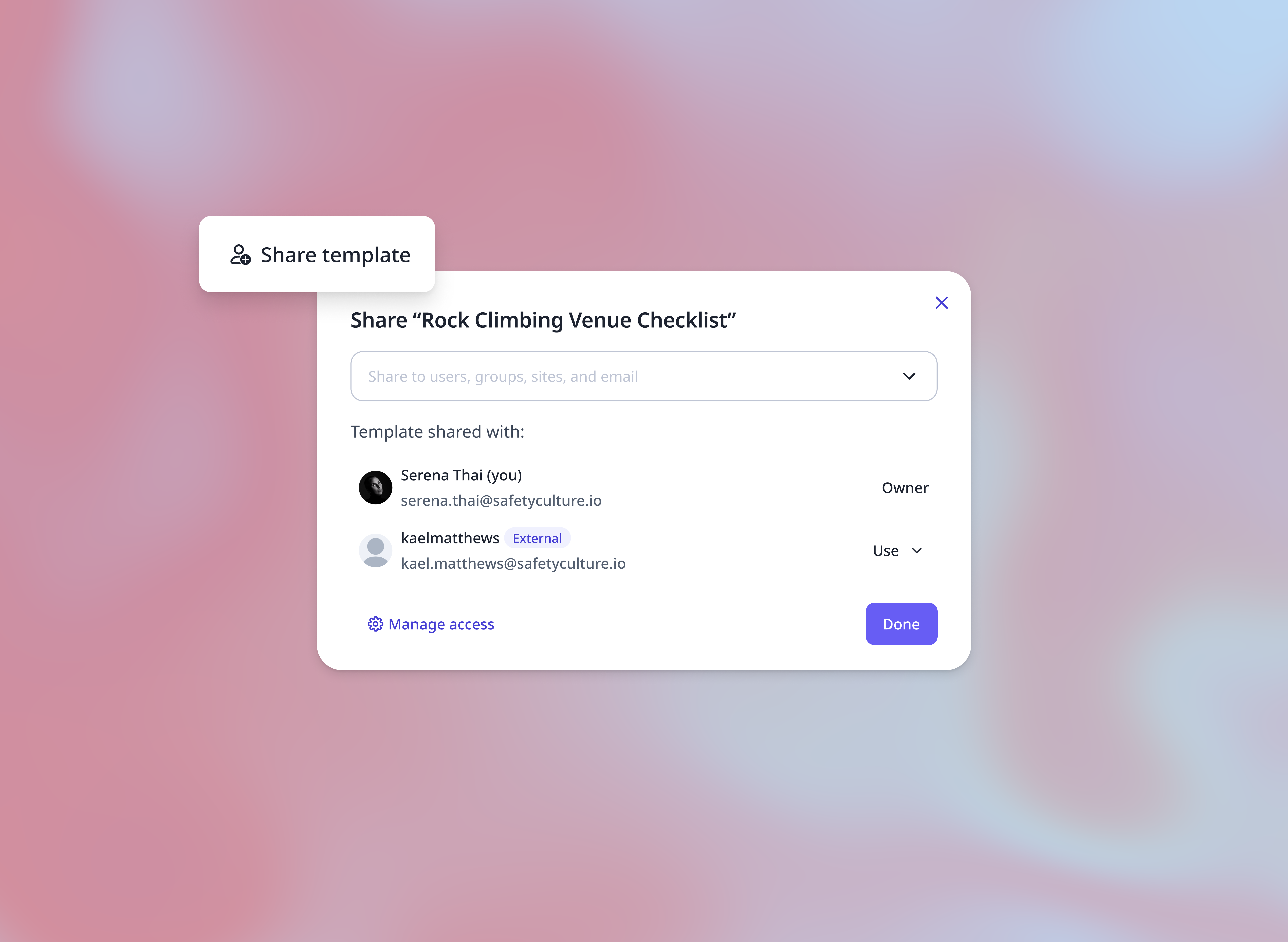
Another strong theme was the need to shift compliance responsibility away from a single internal admin. Customers wanted external contractor companies to be able to upload and maintain company documents credentials for their own workers directly into SafetyCulture. This delegation model reflects how compliance functions in the real world and is essential for scalability. My next steps were to design how a concept of an external user could work in SafetyCulture in order to fulfil this requirement.